
Troop Messenger Review (2026): Secure Team Messaging, Features, Pricing & Benefits
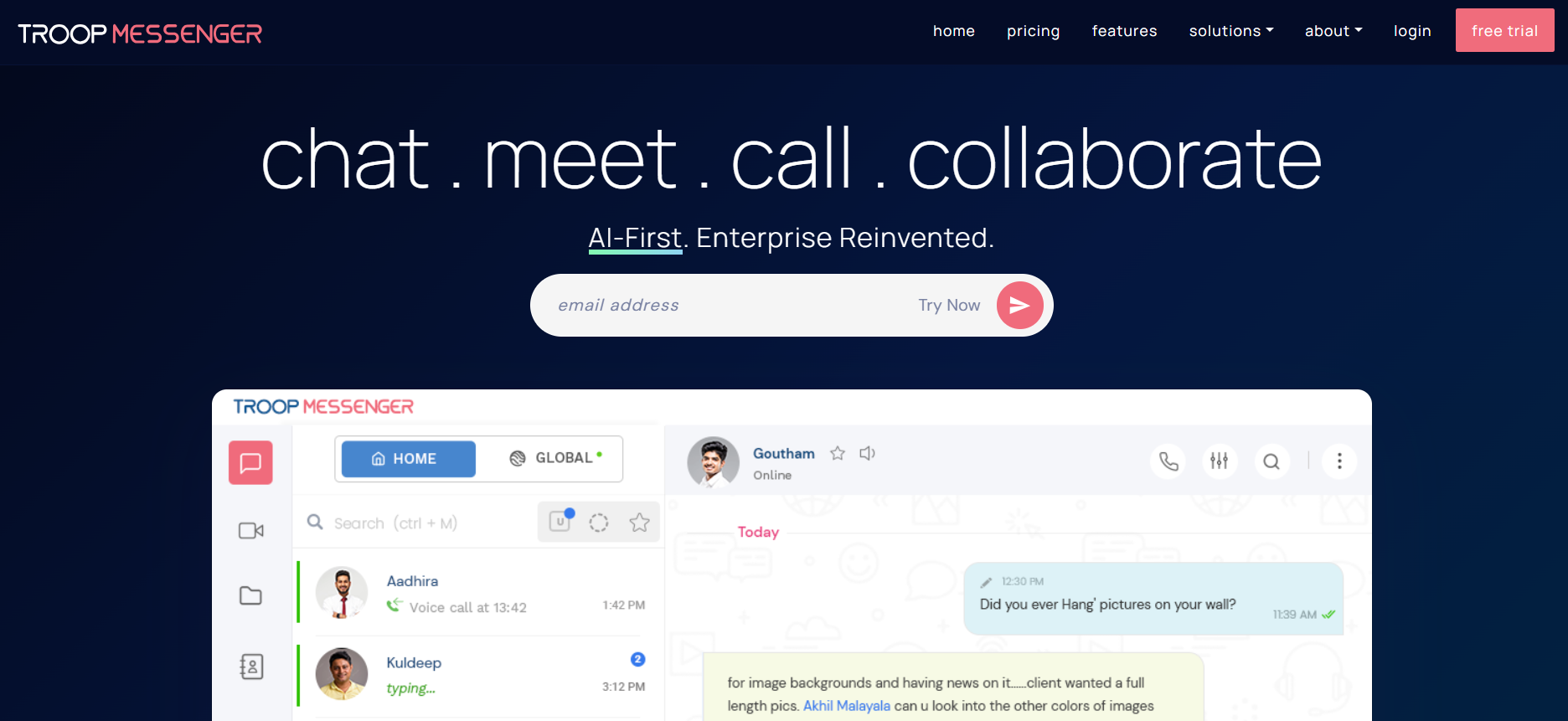
Troop Messenger is a robust business communication software designed to streamline internal collaboration and replace fragmented messaging tools in modern workplaces. It combines instant messaging, video conferencing, file sharing, and collaboration features into a single secure platform.
Built with enterprise needs in mind, Troop Messenger offers flexible deployment options including cloud, on-premise, and private cloud, making it suitable for organizations with strict data security requirements. With its focus on secure team messaging and productivity, it enables teams to communicate efficiently while maintaining control and compliance.
Key Features
1. Instant Messaging & Group Chats
Facilitates real-time communication with one-on-one and group chats, helping teams stay connected and aligned.
2. Audio & Video Calling
Supports high-quality audio and video calls, making it a reliable tool for remote meetings and collaboration.
3. File Sharing & Advanced Search
Allows seamless file sharing and retrieval with powerful search capabilities across chats and documents.
4. Screen Sharing & Collaboration Tools
Enhances productivity with screen sharing features for presentations, troubleshooting, and team collaboration.
5. Admin Controls & Role-Based Access
Provides enterprise-grade controls, including:
User permissions
Role-based access management
Monitoring and compliance features
Pricing
Starting Price: $2.50 per user/month
Pricing Model: Subscription
Free Trial: Available
Best For: Small to large teams looking for affordable and secure communication tools
Benefits of Troop Messenger
1. Enhanced Team Communication
Centralizes all communication channels into one platform, reducing tool fragmentation.
2. Strong Security & Deployment Flexibility
Supports secure deployments including on-premise and private cloud, making it ideal for regulated industries.
3. Cost-Effective Solution
Affordable pricing compared to many enterprise messaging tools.
4. Improved Productivity
Combines messaging, calls, and collaboration features to streamline workflows.
5. Scalable for Growing Teams
Suitable for both small teams and large enterprises with expanding communication needs.
Use Cases
Secure Internal Messaging
Enable safe and efficient communication across teams and departments.
Enterprise Collaboration
Share files, conduct meetings, and collaborate on projects within a unified platform.
Remote Workforce Communication
Support distributed teams with real-time messaging and video conferencing.
Organizational Monitoring & Management
Allow IT teams to manage communication, ensure compliance, and maintain control.
Who Should Use Troop Messenger?
Troop Messenger is ideal for:
Enterprise teams
IT departments
Government organizations
Corporate teams
Remote and distributed workforces
It’s especially useful for organizations needing secure and controlled communication environments.
Pros and Cons
Pros
Secure and enterprise-ready messaging platform
Affordable pricing structure
Multiple deployment options (cloud, on-premise, private cloud)
Comprehensive collaboration features
Easy scalability for teams
Cons
Limited advanced AI features compared to newer tools
UI may feel basic compared to competitors
Integrations are available but not as extensive as some alternatives
Conclusion
Troop Messenger is a reliable and cost-effective enterprise messaging app that focuses on security, flexibility, and core collaboration features. Its ability to offer on-premise and private cloud deployments gives it a strong edge for organizations with strict compliance requirements.
While it may not be as feature-rich in AI capabilities as some modern tools, it excels as a secure workplace chat app for teams prioritizing control, affordability, and simplicity.
Also Read -
Best AI Tools for Call Centers to Automate Support & Boost Efficiency
Top 10 AI Tools for Drafting to Write Faster & Smarter (2026)
Top 10 AI Tools for Customer Success to Boost Retention & Growth (2026)